Ordering system for restaurants and cafés
Guests order from
their table.
The kitchen starts.
QR ordering at the table, a self-order kiosk and a kitchen display, from one free account. Sign in, type in your menu, print the codes. Your first order arrives about ten minutes later.
or
Look around a demo restaurantA furnished place with a menu, tables and a day of orders. Everyone who opens it works on the same data.
Free for up to 2 locations and 20 menu items. No card, no time limit.
Example kitchen ticket: table 12, two guests ordering from their phones. Two Margherita with extra basil, one pasta al limone without parmesan, one burrata, three sparkling waters. The kitchen display accepted the order seven seconds after it was placed.
How it works
Three steps to your first order
-
Sign in
Continue with Google, Microsoft or Apple. Within a minute your account has its own database and a first location. There is no card field anywhere in this step.
-
Type in your menu
Name your place and add what you serve. Twenty items carry a first evening. Photos, translations and modifiers can follow next week.
-
Print the codes
One card per table, a tablet on the counter, a screen by the pass. A guest scans, orders, and the ticket appears in the kitchen while they are still deciding on dessert.
Room by room
One system, in every place a guest can order
Every channel is a web page. Guests open it in the browser they already have, staff keep one tab open on the phone or the counter tablet.
-
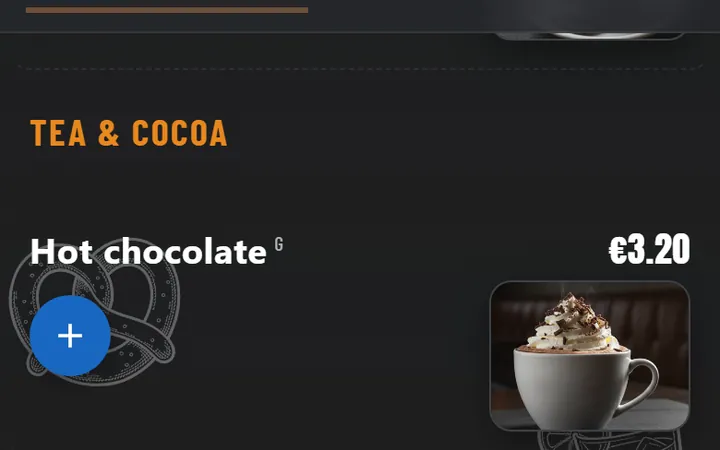
At the table
QR ordering from the phone
- The guest scans the card, picks dishes and sends the order in three taps.
- Four phones at one table build one order together, each seat visible on the ticket.
- Call a waiter, add a round, and settle the table from the same page.
- The menu speaks eleven languages and switches with the phone.
-
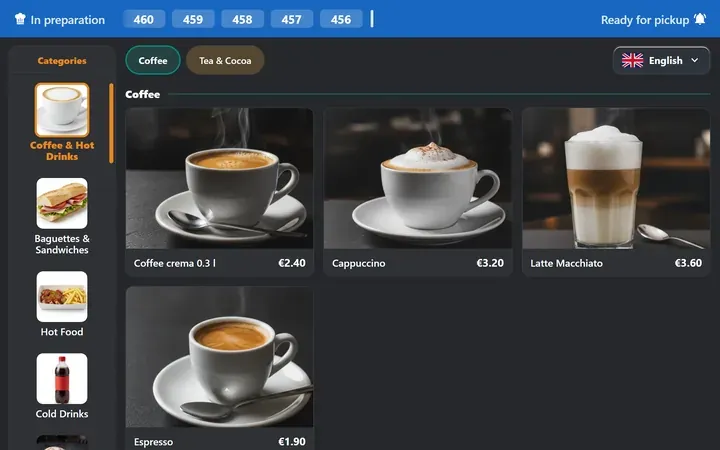
At the counter
Self-order kiosk
- Runs full screen in the browser of any tablet or touch screen you already own.
- Reach mode moves every control into the lower third for seated guests.
- With pay-first the order reaches the kitchen the moment the payment clears.
-
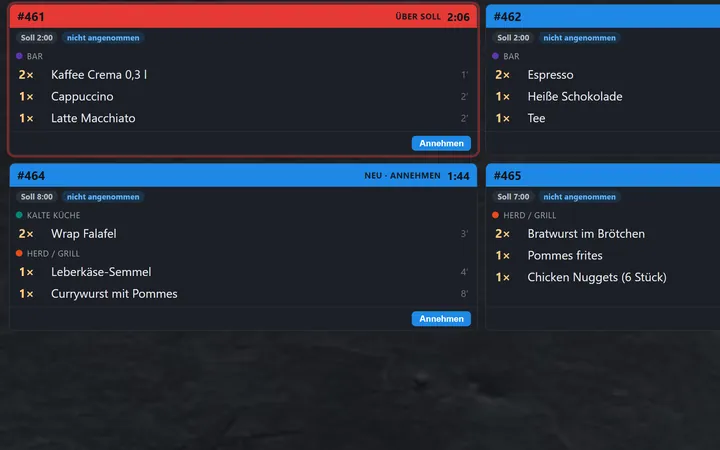
At the pass
Kitchen display and pickup screen
- Tickets land within a second and go to the station that cooks them.
- The pickup screen calls order numbers, so the room hears nobody's name.
- Pre-orders carry the pickup time and sort themselves into the queue.
- Without a screen: the cook prints the ticket from a phone to a printer on the local network.
-
On the floor
Waiter app
- The table plan colours itself by status, from seated to paid.
- Quick entry with modifiers, split bills and checkout by order code.
- Installs on any phone from the browser, without an app store.
-
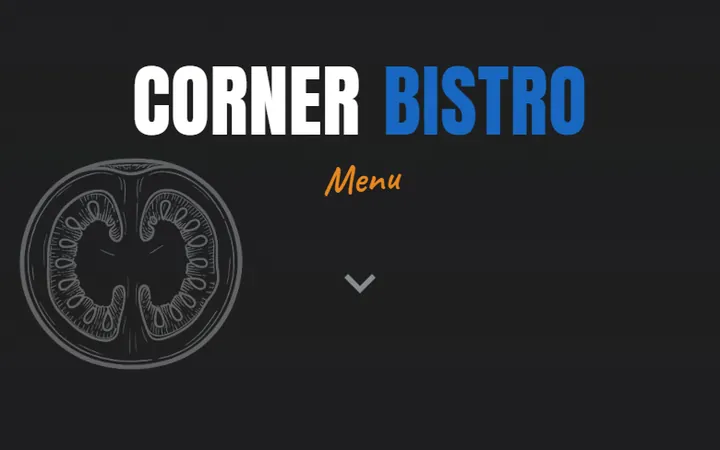
Outside
Hosted menu
- Your menu as a page on your own domain, updated when you change a price.
- Nine design presets with a live preview, published in one click.
- Hold a camera over the printed card and order the dish you are pointing at.
How it is built
Six decisions we made early and kept
- Prices and receipts come from our side.
- Every amount, discount and tax rate is calculated on the server before a screen shows it. When a guest pays, the receipt is signed by our own register, certified in Austria and Germany.
- Your data sits in your own database.
- Each account gets a database of its own. You can export everything at any time, and you can ask us to delete it in one message.
- Settings are documents.
- Menus, themes and rules are stored as data and read as data. The kiosk runs under a strict content security policy and evaluates nothing it receives.
- A kiosk stays logged in.
- When the network drops, the screen waits and retries while it keeps showing the menu. It returns to setup only if you revoke its key in the cockpit.
- Accessible from the first release.
- Reach mode brings the controls within seated reach, and a guest can pair their own phone to order with their own screen reader and font size.
- Guests install nothing.
- Every guest surface is a web page served over TLS, which is what lets the camera, the wake lock and the home screen shortcut work at all.
Open for orders tonight
Sign in, type in your menu, print the codes. If the result does not suit your place, you have spent ten minutes and can walk away.
or
Look around a demo restaurantA furnished place with a menu, tables and a day of orders. Everyone who opens it works on the same data.
No card and no sales call. The same button signs you back in later.